A Wi-Fi outage and a dead smart-lock battery are different problems. Some locks keep local entry methods working when the network is unavailable, while connected features may stop. Before buying, ask what happens on the exact model you will receive, not what a smart lock can do in general.
This guide separates local entry, remote control and backup access. The manufacturer examples explain those differences; they are not a claim that ShieldStreamz or SafeStreets offers those particular models.
Do smart locks work without Wi-Fi?
Some do, for supported local functions. Schlage says its Arrive Smart WiFi Deadbolt keeps access codes and schedules active during a Wi-Fi or power outage. It also supports nearby control through the Schlage Home app over Bluetooth. That is a statement about Schlage Arrive, not every lock with a keypad.
Ask two separate questions: “Can I unlock at the door without internet?” and “Can I control the lock while away?” A working code at the door does not prove that remote unlocking, notifications or online activity updates will remain available.
What happens during a household power outage?
Schlage’s official support says its residential electronic and smart locks are battery-operated and continue to function during a power outage. The same guidance warns that communication or features depending on Wi-Fi or cellular data may be unavailable.
Do not turn that into a whole-system backup promise. A lock’s battery, your router and any connected security equipment are separate things to ask about. Confirm the proposed lock’s power source and the dependencies of each feature you expect to use.
What if the lock’s own battery dies?
That is a different failure from losing Wi-Fi. Backup entry depends on the hardware. Tapo’s official smart-lock FAQ says its locks can use a physical key when their battery is depleted, and describes temporary power-bank access for supported electronic entry. Follow the exact model’s instructions for the connection and power supply; do not assume that a port recharges the internal battery.
Low-battery warnings also vary. For example, Kwikset’s SmartCode 909/910 support says the interior LED and keypad flash red when batteries are low. Learn your own lock’s warning and the manufacturer’s battery instructions before relying on it.
- Confirm whether your proposed lock has a physical key, temporary-power option or another supported backup.
- Keep a supported backup accessible to an authorized household member, rather than storing the only backup behind the locked door.
- Ask for a demonstration and the exact manual before relying on app-only access.
Is nearby app control the same as remote access?
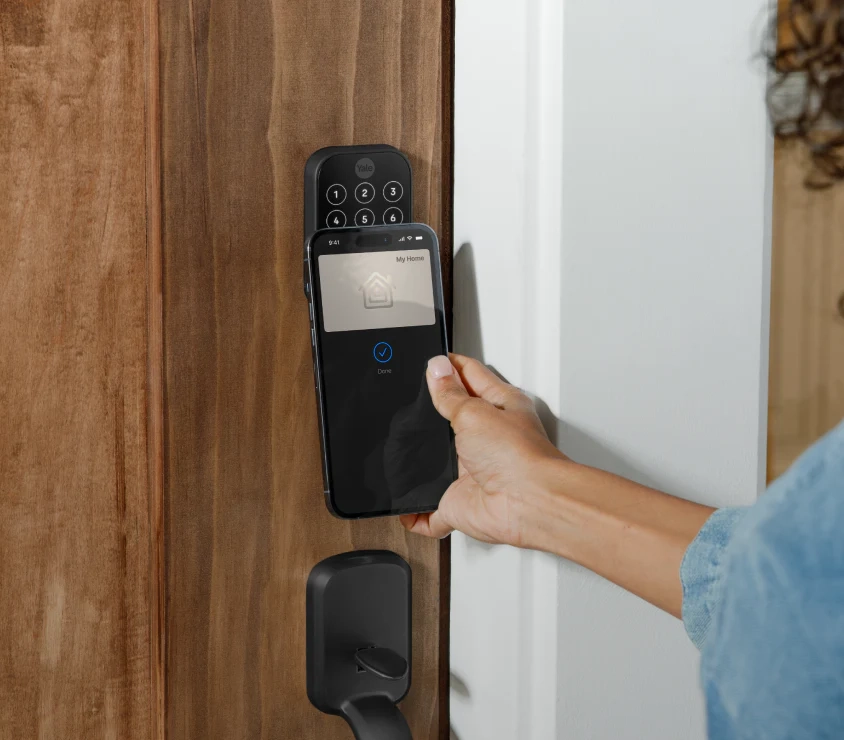
No. Tapo’s FAQ describes local-only control with Wi-Fi disabled: the phone must be physically near the lock for Bluetooth access. Schlage describes nearby Bluetooth functions for Arrive separately from its Wi-Fi-connected remote features. Check that distinction when someone says a lock “works with an app.”
For your proposed setup, ask which connection the lock uses, whether another device is required, and which functions work when the internet is unavailable. Do not infer compatibility from a shared brand name or from a lock simply being described as smart.
A short checklist before choosing a lock
- What is the exact model and which entry methods are included?
- Which methods work locally without Wi-Fi, and which require internet or other equipment?
- How are low-battery warnings shown, and what is the supported backup-entry method?
- Will the hardware fit this door, and who confirms that fit before work is arranged?
- Which app and security-system functions are supported in the actual proposed configuration?
Write down the answers for your own door and household. The useful comparison is dependable access in your intended setup, not the longest feature list.
Discuss smart-lock options for your home
ShieldStreamz markets and refers homeowners to SafeStreets, an ADT Authorized Provider. Explore our smart-lock information and call (855) 585-8177 to ask about the equipment and compatibility available for your home. Confirm the exact model and supported features before choosing a system.